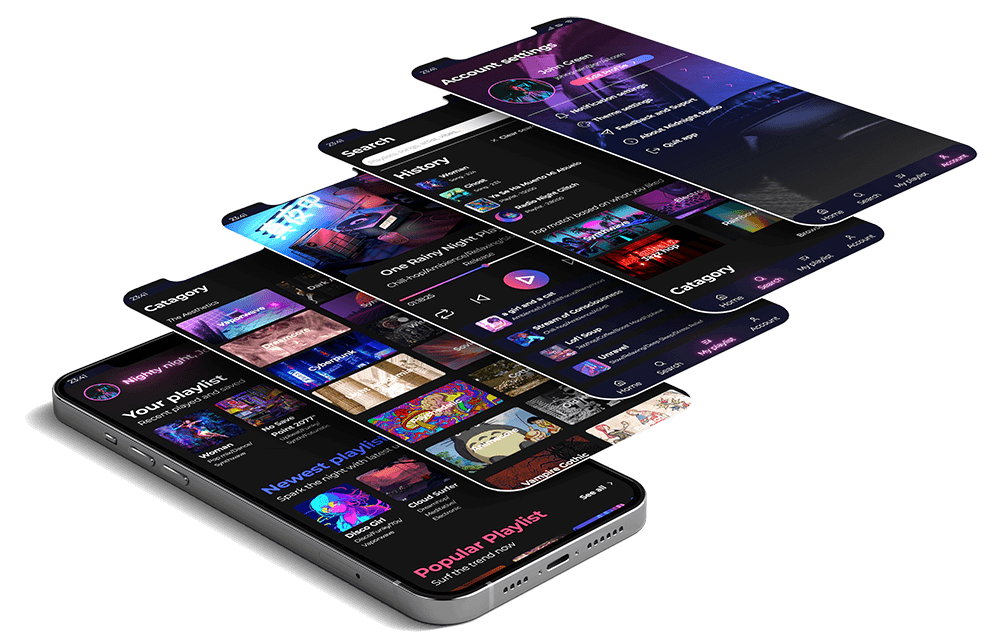
Midnight Radio is a music app with hundred of quality playlists carefully curated specifically for night time listening.
With simple interface and easy-to-use flow, Midnight Radio will help you easily choose the best playlist sprinkled with the trendy aesthetics to vibe with for a good chilling/ studying / working night time.
Why Night time?
The Needs
Night time is:
Personal time: to explore deep, intimate feelings and enjoy personal aesthetics
Relaxing time: to chill out, be lazy
Focus time: to study for exams / work for deadlines, freelance job
Listening to music at night is a common hobby and real need on demand, but…..
The Troubles
It’s time-consuming to search for music suitable for night time listening
It’s difficult to find music collection with variable aesthetics in one place
Mainstream music apps focus on promoting ads of big artists and trendy music and lack of curated personalized contents
The Solution
Benefits from using Midnight Radio:
Free & No-Ads ( ͡° ͜ʖ ͡°)
Easy click-and-play hundred of playlists that are carefully curated for night time listening
Focus on The Aesthetics, Moods and Feelings for more personalized experience
or all are just made up excuses to put neon everywhere…
Needs fast effective playlist choice to focus (on studying, working…)
Young and sophisticated, who wants to vibe with the specific genre and aesthetic music such as: Lo-fi, Chill-hop, Dark Academia, Vaporwave, Synthwave, Lounge, City Pop, R&B, Cyberpunk….
Visual Approach
Visual Style
after hours, dark tone, neon light, chill, the aesthetics
Key Features
Curated playlist for night listening
Database of playlists for the specific aesthetics and moods
Search for song/playlist
Create custom playlist
Color Palette
Branding
Primary Red
#FC466B
Primary Blue
#3F5EFB
Primary Pink
#F755C4
Primary Gradient
#FC466B, #3F5EFB
Neutral
Light White
#FFFFFF
Shade White
#F3F4F8
Light Grey
#777986
Dark Grey
#404252
Blue Black
#101223
Dark Black
#121212
Functional
Success
#13CE66
Warning
#FFCC3D
Info
#3F5EFB
Error
#FC466B
Typography
MONTSERRAT
Bold / Semi-Bold / Regular
Heading 1
29px / Bold
Heading 2
26px / Bold
Heading 3
23px / Semi-Bold
Title
20px / Semi-Bold
Subtitle
18px / Regular
Body
16px / Regular / Bold / Italic
Small
14px / Regular / Bold / Italic
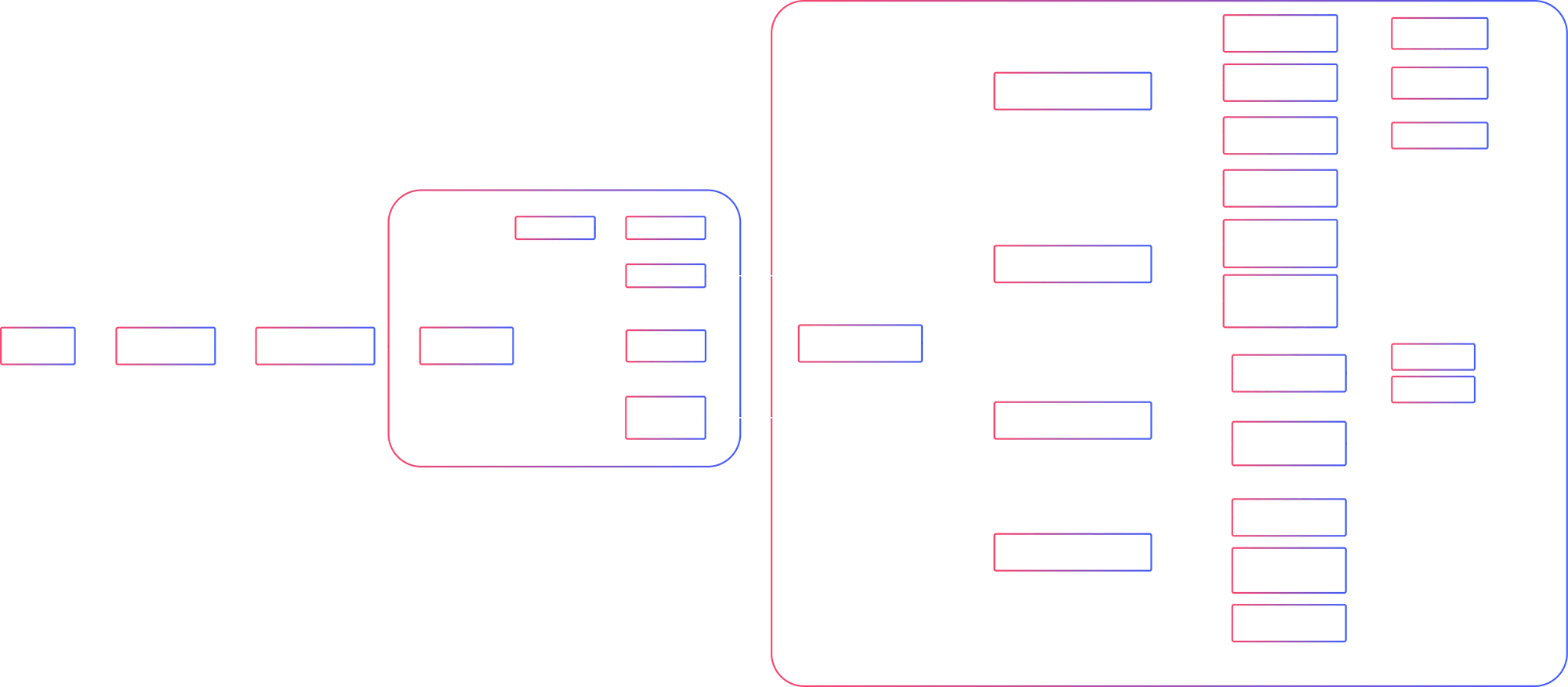
Userflow
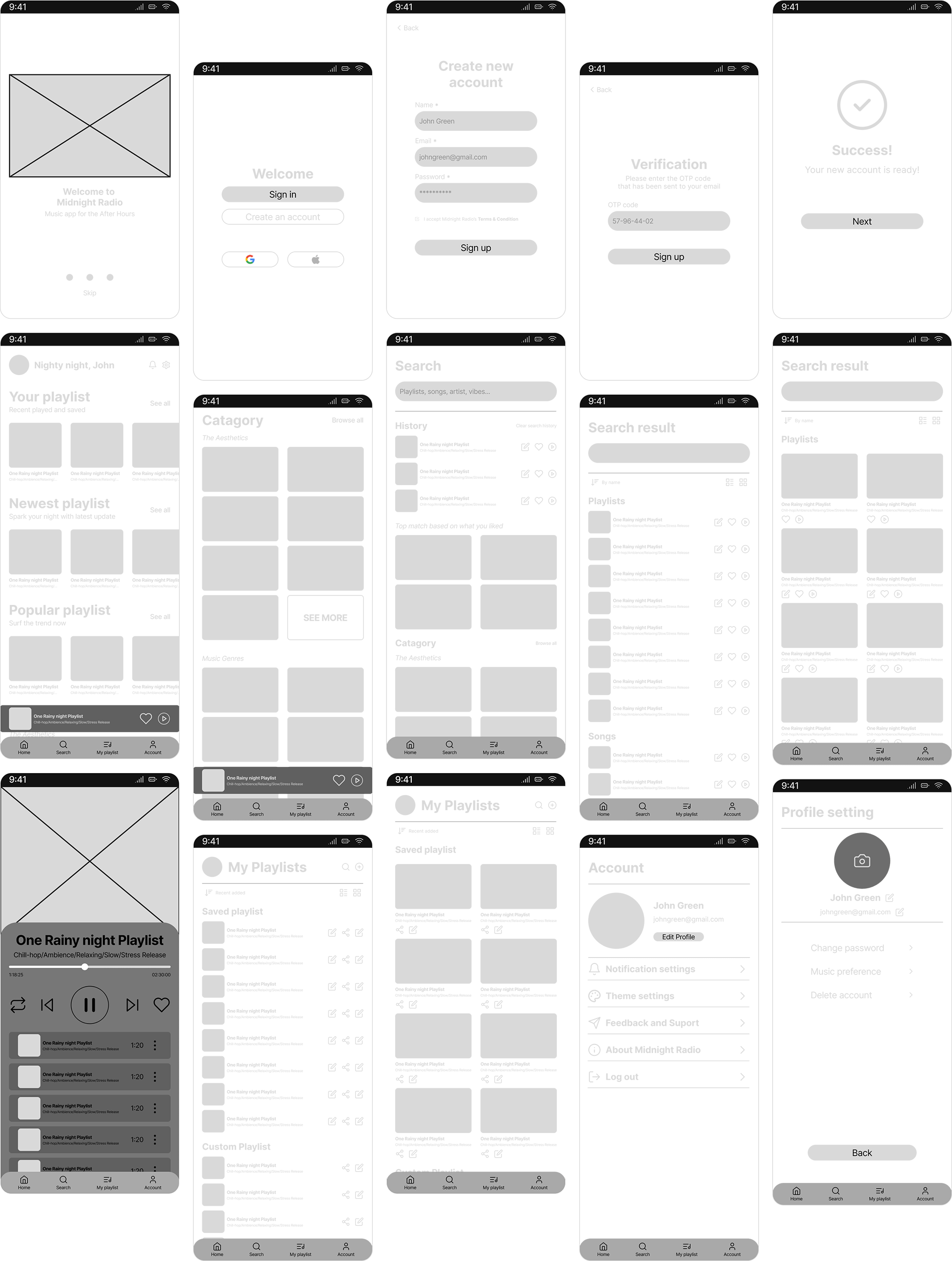
Wireframe
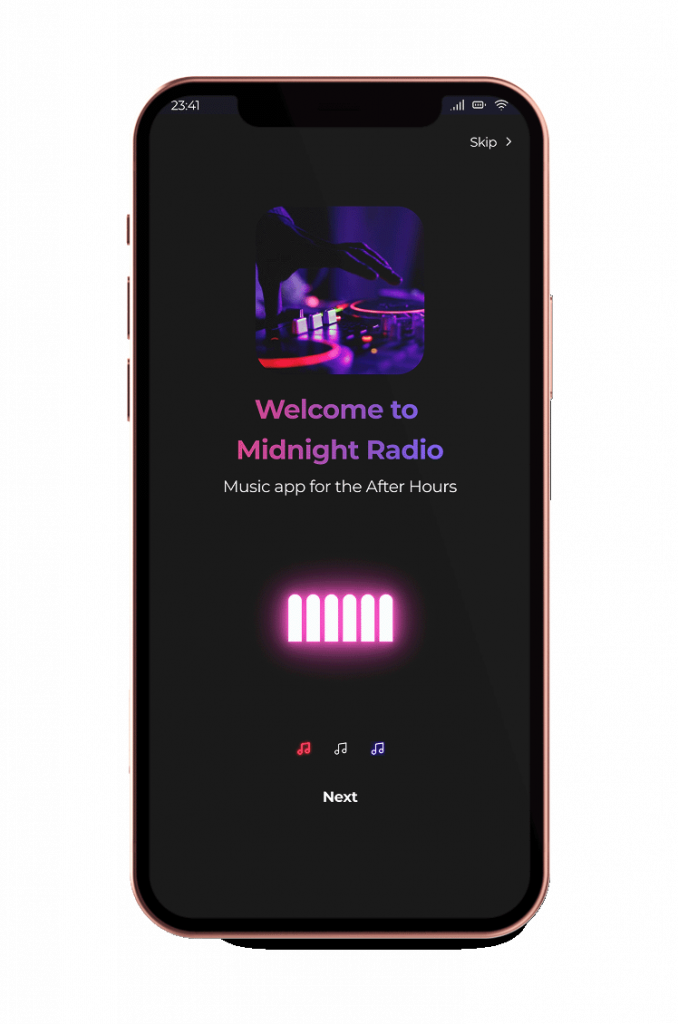
Onboarding Screen
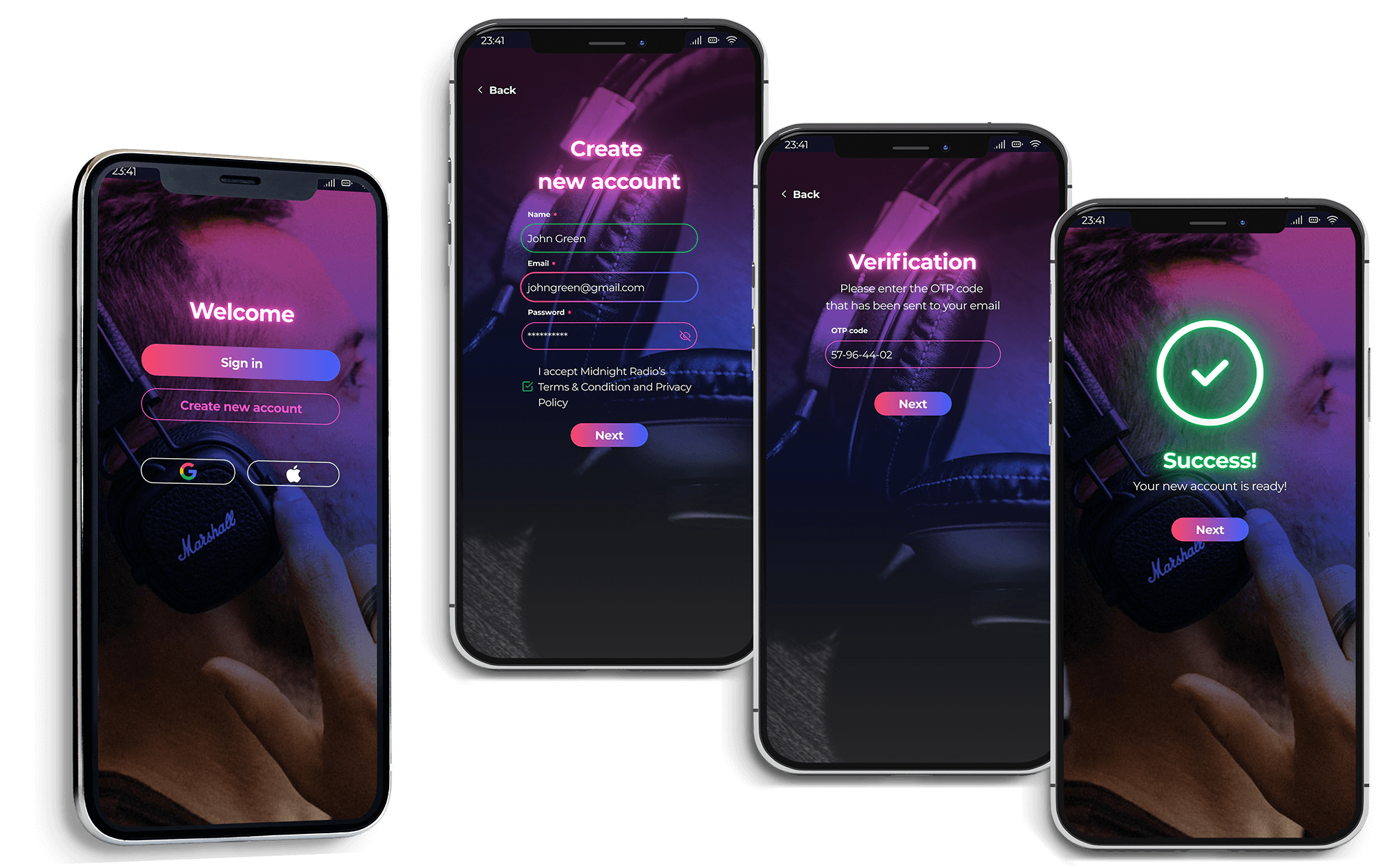
Login Flow
Create New Account
Create New Account in 3 simple steps with an email or login with Google / Apple ID
Sign In / Reset Password
Sign in with email and easy 2-flow step to reset password
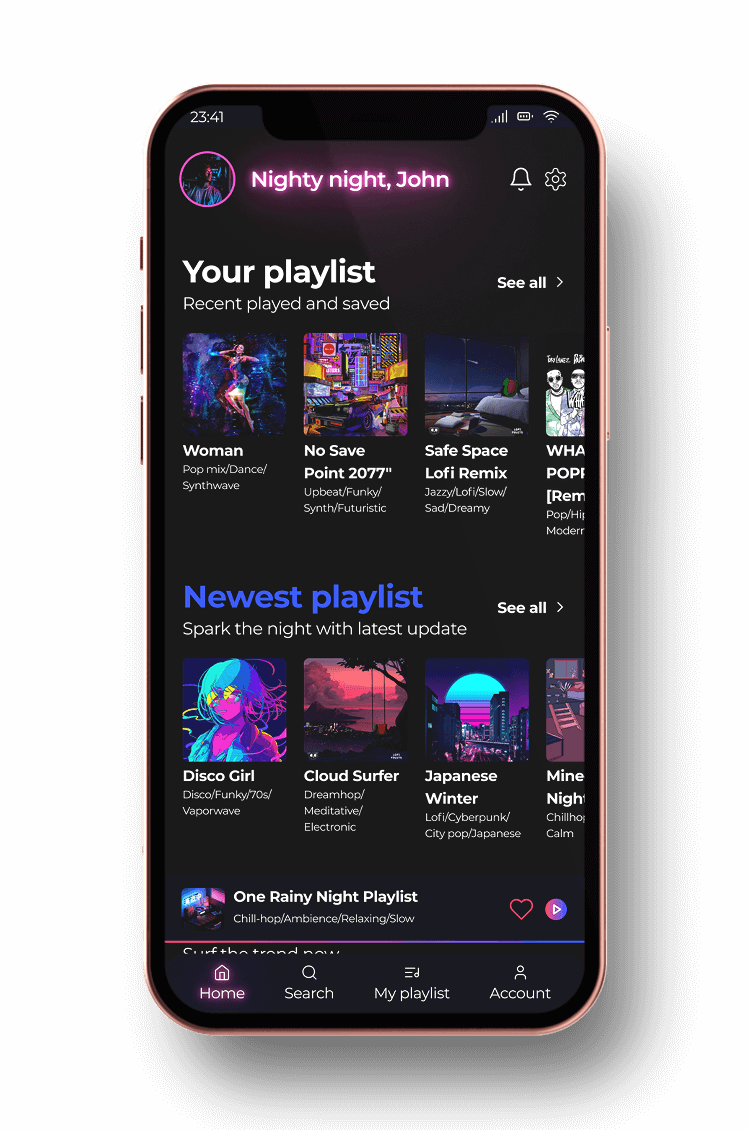
Home Screen
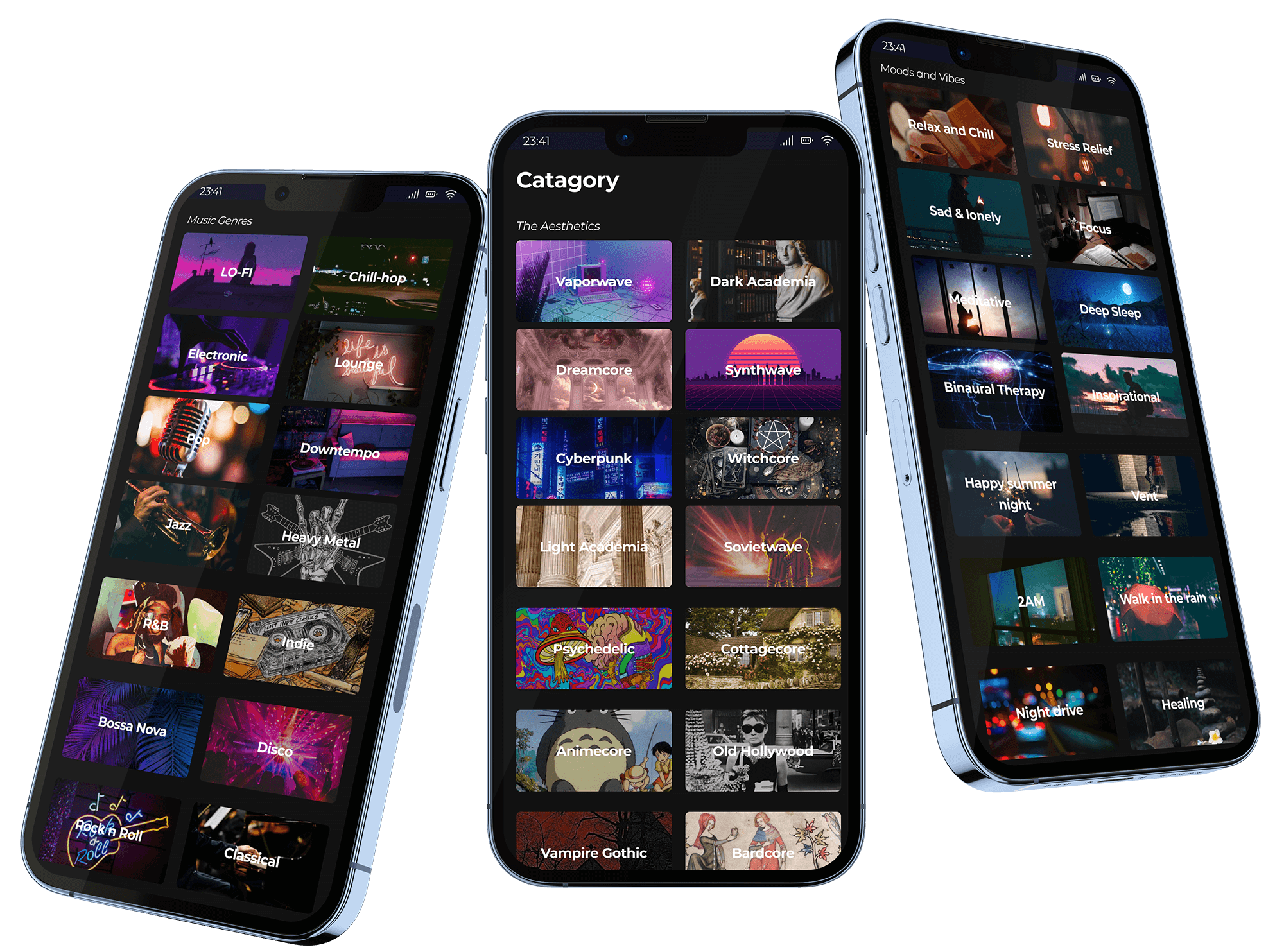
Category
Vast music collection category that focuses on The Aesthetics and personalized Moods and Needs for night time listening, hoping to help users find what they want easily and effortlessly
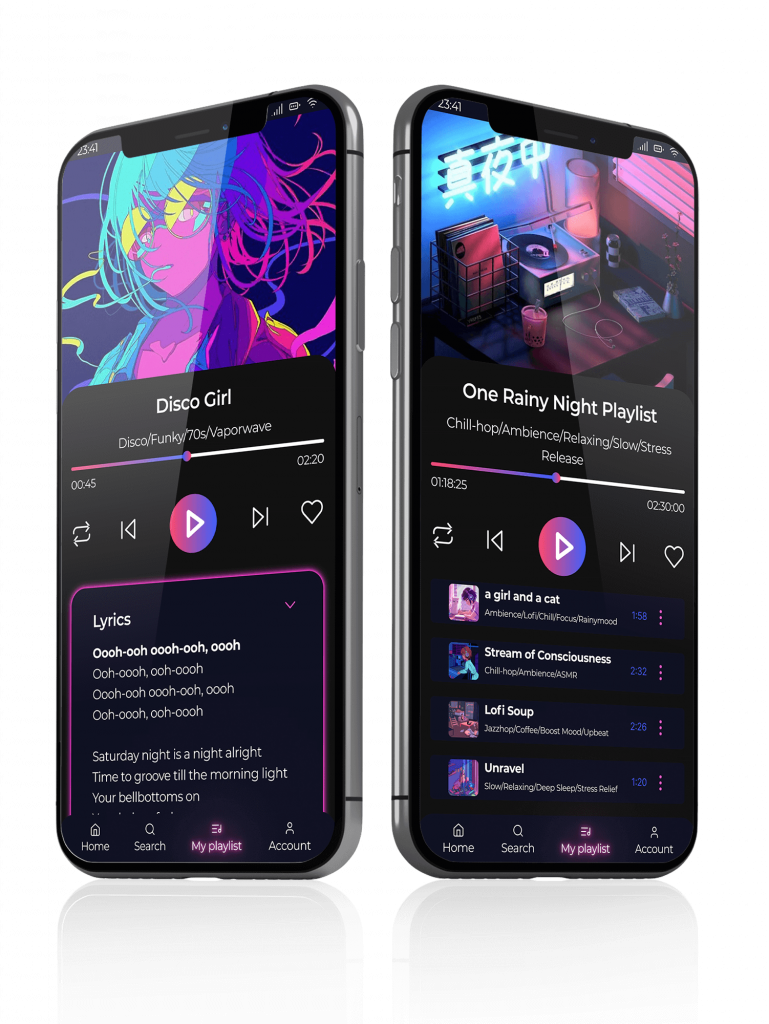
Music Player
Music Player comes with 2 interfaces: playlist and song, in which you can customize their playlist tracks and find lyrics to sing with
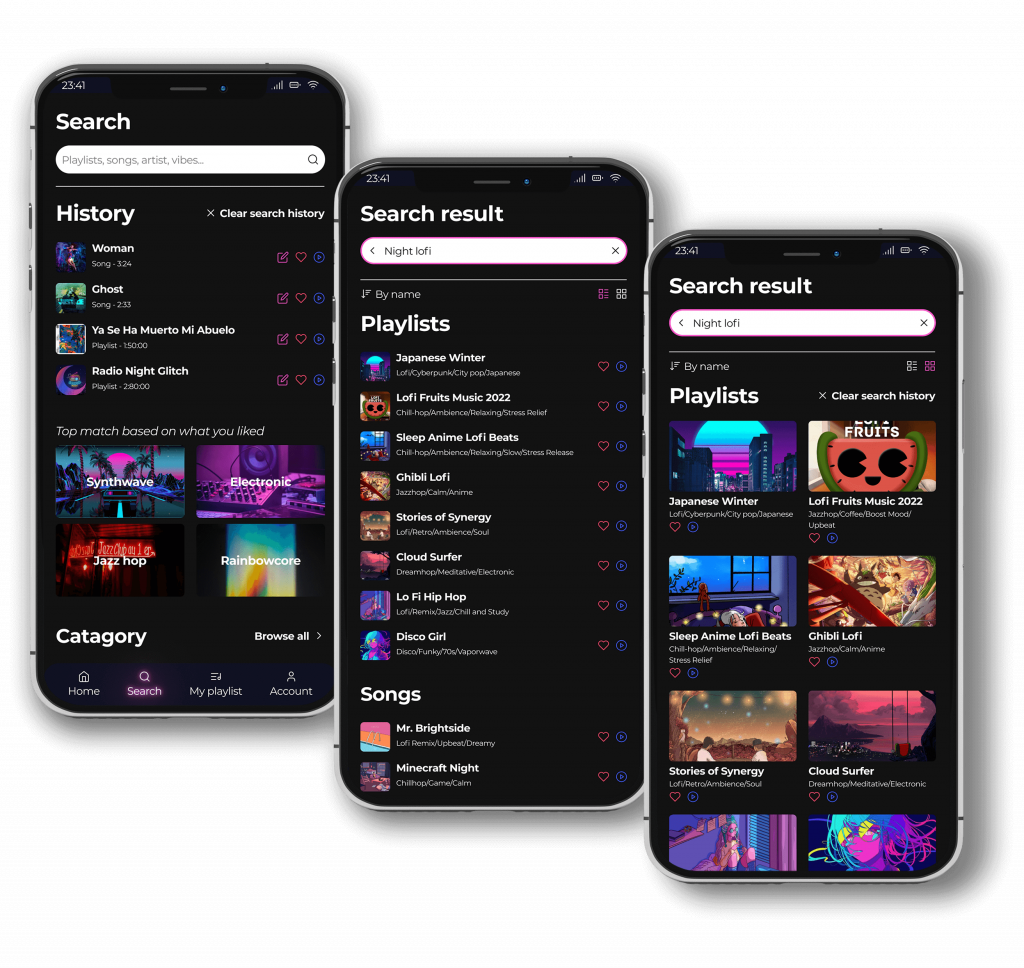
Search Function
Access the Search tab and easily find a playlist or song to vibe with.
See search results in 2 display modes:
list view for quick navigation
card view for bigger display and easier browsing
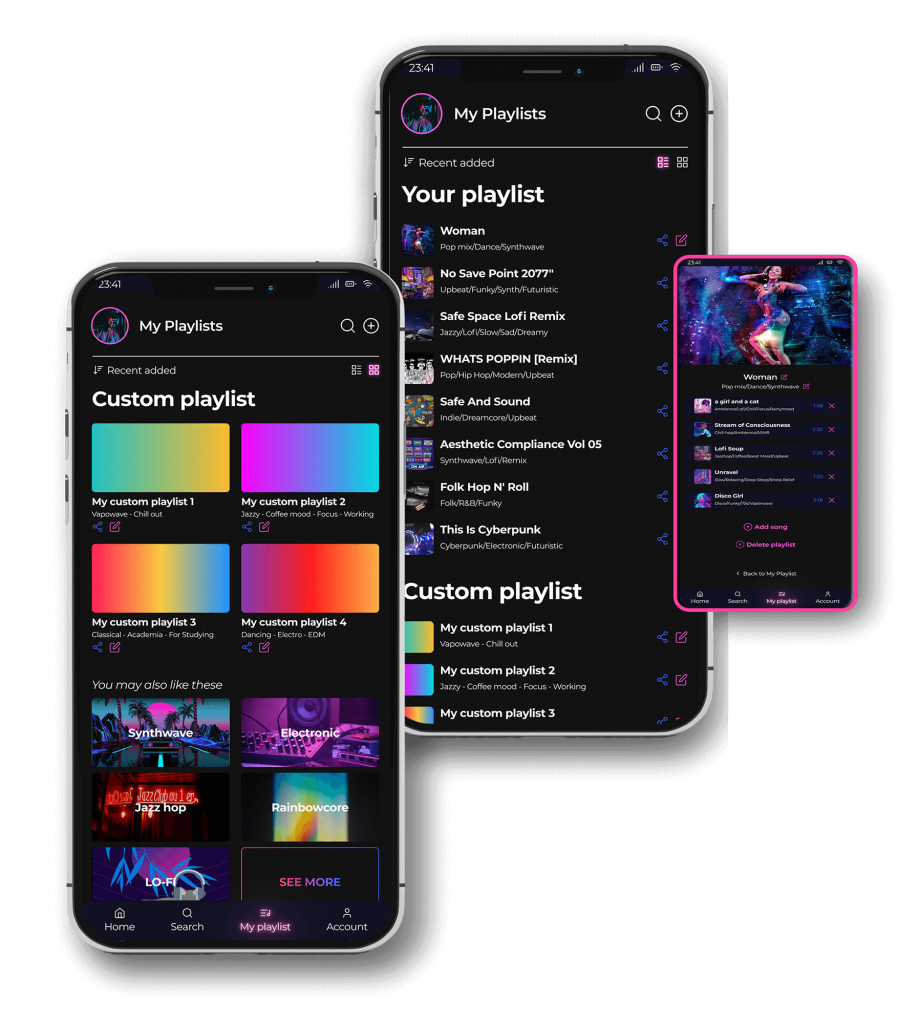
My Playlist
Save and edit your playlist collection, or create new custom playlist the way you like it
My Playlist also comes with 2 display mode: list view (quick navigation) and card view (enhance visual)
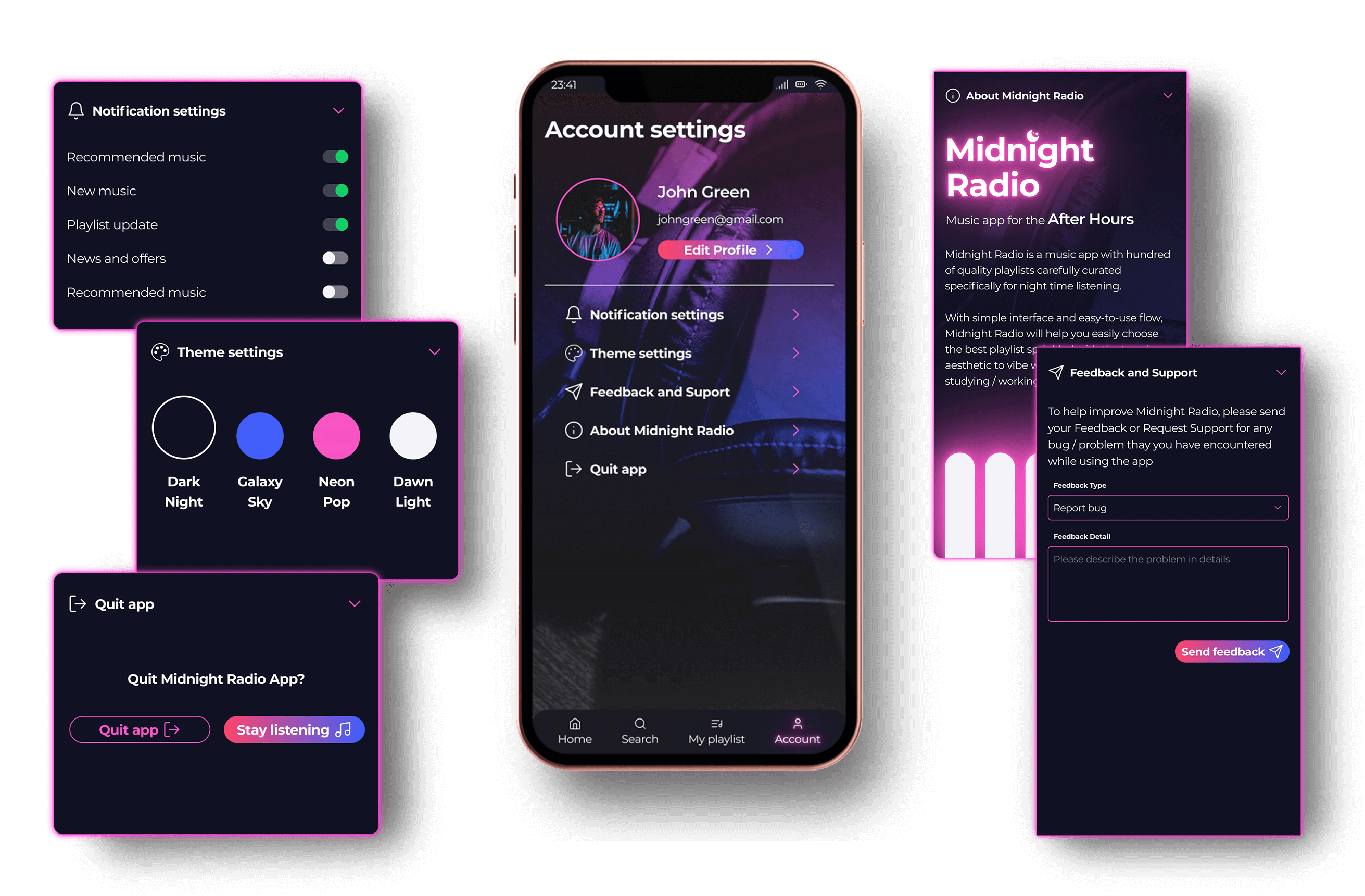
Account Settings
User will have various controls on app settings like:
Profile settings
Notification settings
App theme
Sending feedback
App info
Try Midnight Radio now
Available on Figma Prototype
Instruction:
Click on screen to find flashy hint for available interactive elements
Hit [R] or click on [Restart button] at the bottom right corner
For full screen view, click on the expand icon at the top right corner